
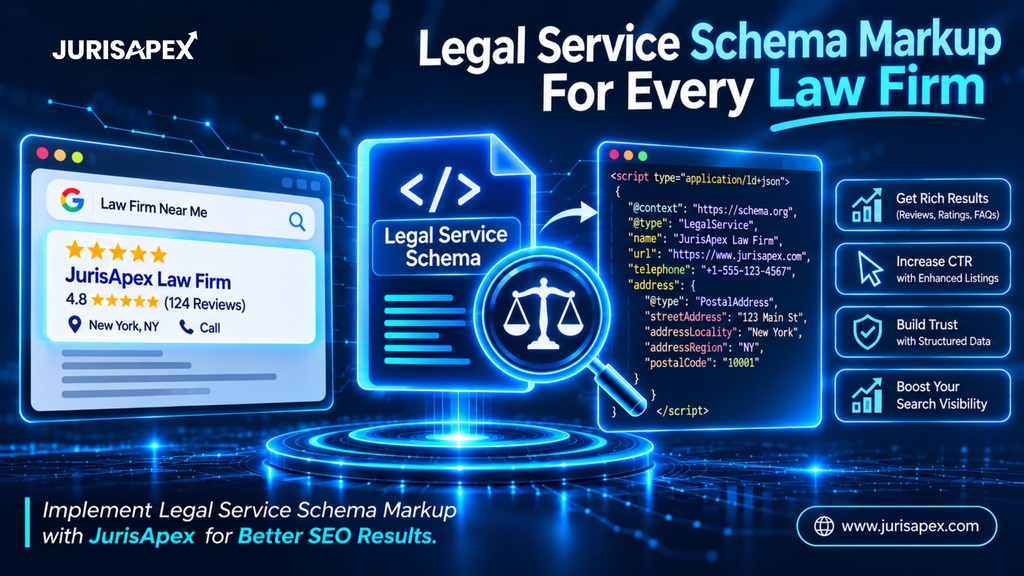
Can Google tell the difference between your law firm, its attorneys, and the legal services you offer? If not, your website may be missing a key piece of structured data.
Schema markup for law firms helps search engines understand these details instead of leaving them to guess. But adding the wrong markup can create confusion rather than clarity. So, which schema types should your website actually use?
From Legal Service and Person to Service schema, this guide breaks down the essential markup, explains where each type belongs, and shows you how to implement it correctly using JSON-LD.
What Is an Attorney and Legal Service Schema Markup?

Schema markup is structured data added to a website’s code to help search engines understand what its content represents. Instead of simply interpreting text, search engines can use this additional information to identify specific entities, their attributes, and the relationships between them.
For a law firm, this means explaining that your website represents a legal practice, identifying the attorneys working there, and describing the legal services your firm provides.
Two important schema concepts come into play here: Attorney and LegalService.
Attorney Schema: Schema.org previously included an Attorney type to represent legal professionals and their services. However, this type is now deprecated. Schema.org recommends Legal Service because it is more inclusive and less ambiguous. Individual attorneys should generally be represented using the Person type.
Legal Service Schema: This is a more appropriate business-level schema type for law firms. It identifies a business that provides legal advice, representation, and other legally oriented services.
Together with Person and Service schema, these types help establish a clearer relationship between your law firm, its attorneys, and its practice areas.
What Is JSON-LD and Why Should You Use It?
JSON-LD stands for JavaScript Object Notation for Linked Data. It is a structured data format that allows website owners to describe entities and their relationships through a script added to a webpage.
For example, a law firm can use JSON-LD to communicate:
- Its official business name and website.
- Its physical office location.
- Its primary contact information.
- Its legal practice areas.
- Its attorneys and professional roles.
- Its relationship with individual legal services.
Google recommends JSON-LD as its preferred structured data format because it is relatively straightforward to implement and maintain. It can be added through a script without embedding structured data attributes throughout the visible HTML.
The important distinction is that schema markup doesn’t replace your website content. It provides additional context about information that already exists on your pages. Effective schema markup for law firm content should always reflect the information visitors can actually find on the corresponding page.
Why Does Schema Markup Matter for Law Firm Websites?
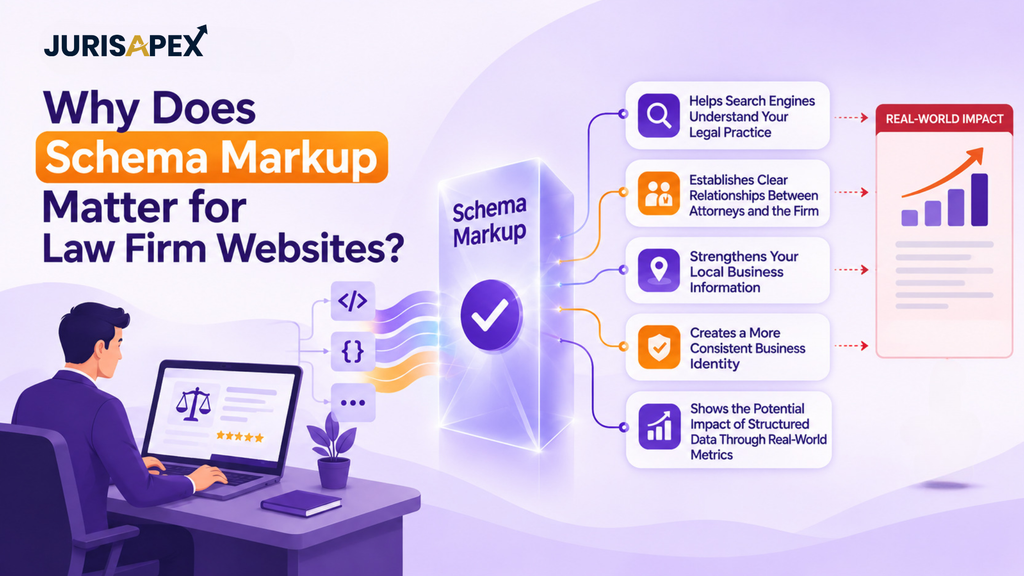
A law firm website contains several interconnected entities. The organization, its attorneys, individual practice areas, and office locations all represent different pieces of information.
Without properly structured data, search engines may have to interpret these relationships primarily through your website’s content and internal links.
Implementing schema markup for law firms gives search engines additional context about these entities.
Here are some practical benefits.
1. Helps Search Engines Understand Your Legal Practice
Consider a law firm offering personal injury, family law, and criminal defense services.
Simply mentioning these services across different pages doesn’t clearly establish every relationship between the organization and its offerings.
Using appropriate structured data allows you to describe the firm as a Legal Service provider and identify its individual services separately.
This creates a more organized representation of your legal practice. It also gives search engines additional context about the purpose of your practice area pages.
2. Establishes Clear Relationships Between Attorneys and the Firm
Your attorneys are an important part of your firm’s professional identity.
Individual attorney pages may include their qualifications, professional experience, practice areas, and contact information.
Using Person schema with properties such as worksFor, jobTitle, and knowsAbout helps describe these details.
For example, you can connect an attorney’s profile to the law firm they work for rather than presenting the attorney as an unrelated entity. This is an important part of building meaningful schema markup for law firms content.
3. Strengthens Your Local Business Information
Location information matters when potential clients search for legal representation in a particular area.
Legal Service inherits properties from LocalBusiness, allowing you to describe details such as:
- Business name and address.
- Primary telephone number.
- Office opening hours.
- Geographic service areas.
- Official website.
- Business location information.
Accurate information helps search engines interpret your firm’s local presence. It also gives your website a structured way to communicate business details that should remain consistent with your other online profiles.
4. Creates a More Consistent Business Identity
Your firm’s name, address, telephone number, website, and professional profiles should remain consistent across your website and other online platforms.
Schema markup provides another opportunity to communicate these details in a structured format.
It also allows you to connect relevant profiles through properties such as sameAs, provided those links genuinely identify your firm.
5. Shows the Potential Impact of Structured Data Through Real-World Metrics
Does structured data make a measurable difference? Google’s published case studies offer some useful examples.
Consider these reported results:
| Website | Structured Data Implementation | Reported Result |
| Rotten Tomatoes | Added structured data to 100,000 unique pages | 25% higher click-through rate on enhanced pages compared with pages without structured data |
| Food Network | Converted 80% of its pages to enable search features | 35% increase in visits |
| Rakuten | Implemented structured data across its website | Users spent 1.5 times longer on pages with structured data |
| Rakuten | Compared AMP pages with and without search features | 3.6 times higher interaction rate on AMP pages with search features |
| Nestlé | Compared pages appearing as rich results with standard results | 82% higher click-through rate for pages appearing as rich results |
These figures demonstrate the potential value of structured data when implemented effectively. However, they need to be interpreted in context.
These are cross-industry case studies, not results from law firm websites. They also don’t establish that Legal Service schema alone will produce similar outcomes for a legal practice.
For law firms, the practical takeaway is to use structured data to communicate accurate business and professional information, then monitor whether relevant search performance metrics change after implementation.
Important: Structured data doesn’t automatically improve rankings or guarantee enhanced search appearances. Its purpose is to provide accurate information that search engines can understand and potentially use. The results depend on Google’s eligibility requirements, the quality of the implementation, and other factors.
Is Your Law Firm Website Communicating the Right Information to Google?
Incomplete or incorrectly structured business information can make it harder for search engines to understand your firm’s identity. Get your website’s technical SEO structure reviewed.
Which Schema Types Should Law Firms Implement?
LegalService is an important starting point, but it isn’t the only structured data type worth considering.
Different pages serve different purposes. Your homepage describes the overall firm, attorney pages introduce individual professionals, and practice area pages explain specific legal services.
Your schema implementation should reflect these differences. The right law firm schema markup services should account for the purpose of each page rather than applying the same generic markup everywhere.
Here are the most relevant types.
1. Legal Service Schema
Legal Service is the most directly relevant Schema.org type for a law firm operating as a legal services business.
It describes a business that provides legal advice and representation.
Useful properties include:
| Property | Purpose |
| @type | Identifies the entity as LegalService |
| @id | Creates a unique identifier for the law firm |
| name | Specifies the law firm’s name |
| url | Provides the official website |
| description | Describes the legal practice |
| telephone | Identifies its primary contact number |
| address | Provides the physical business address |
| areaServed | Identifies the geographical service area |
| openingHoursSpecification | Communicates business hours |
| logo | Identifies the firm’s logo |
| sameAs | Connects verified external profiles |
These properties help describe the organization and its local business information. They should only be populated with accurate details that genuinely apply to your firm.
2. Organization Schema
Organization schema provides information about the law firm as a business entity.
It can describe:
- Official organization name.
- Website URL.
- Logo.
- Contact information.
- Founding information, where available.
- Social and professional profiles.
- Relationships with other organizational entities.
For firms with multiple attorneys, locations, or practice areas, Organization information can contribute to a more consistent entity structure.
You can also use Legal Service directly because it inherits through LocalBusiness from Organization.
Avoid creating unnecessary duplicate entities for the same business. If your law firm is already represented through a Legal Service entity, make sure any additional organization markup connects to that same entity where appropriate.
3. Person Schema for Individual Attorneys
Individual attorney pages should use Person schema to describe the professionals representing the firm.
Relevant properties include:
| Property | Description |
| name | Attorney’s full name |
| jobTitle | Professional title |
| image | Attorney’s photograph |
| url | Individual profile page |
| worksFor | Law firm employing the attorney |
| knowsAbout | Areas of professional knowledge |
| sameAs | Verified professional profiles |
For example, a family law attorney’s profile can identify their professional role and connect them to the law firm.
Only include qualifications, credentials, and professional details that can be verified. Your schema markup should accurately represent the attorney profile rather than introduce information that visitors cannot confirm.
4. Service Schema for Individual Legal Practice Areas
A law firm may offer several distinct legal services.
For example:
- Personal injury representation.
- Divorce and family law.
- Criminal defense.
- Estate planning.
- Business litigation.
- Immigration law.
The Service type can describe an individual service offered by the organization.
Useful properties include:
- name
- serviceType
- description
- provider
- areaServed
- url
For example, a personal injury practice area page can describe the service and identify the law firm providing it.
This is particularly useful when a firm has dedicated pages for different practice areas. Each page can describe its own offering while connecting it to the same law firm entity.
5. WebSite and WebPage Schema
These types help describe the website and individual pages.
WebSite identifies the overall website, while WebPage describes a particular page.
You can use them to establish relationships between your firm’s website, homepage, attorney profiles, and practice area pages.
For a well-organized implementation, connect these entities through their @id values. This helps prevent different pages from unintentionally describing the same organization as unrelated businesses.
Attorney Schema vs. Legal Service Schema: What’s the Difference?
One of the most common implementation questions is whether a law firm should use Attorney schema or Legal Service schema.
The distinction is important because these types describe different entities, and Schema.org has deprecated Attorney in favor of LegalService.
Here’s a practical comparison.
| Comparison Factor | Attorney | LegalService | Person |
| Purpose | Previously represented an attorney’s professional service | Describes a business providing legal services | Describes an individual attorney |
| Schema.org status | Deprecated | Current supported type | Current supported type |
| Recommended use | Avoid for new business-level implementation | Law firm business information | Individual attorney profiles |
| Entity represented | Historically associated with an attorney service | Law firm or legal services business | Individual legal professional |
| Type hierarchy | Historically associated with LegalService | LocalBusiness and Organization | Thing |
| Location information | Not the preferred business-level implementation | Supports business location properties | Not intended to represent the firm’s office |
| Legal service information | Less inclusive and more ambiguous | Specifically describes legal services | Can describe professional knowledge |
| Implementation approach | Replace legacy usage where appropriate | Use for the firm’s business entity | Connect to the firm using worksFor |
So, Which One Should Your Law Firm Use?
For the law firm’s business entity, use Legal Service rather than the deprecated Attorney type.
For individual lawyers, use Person.
For individual practice areas, use Service.
This gives search engines a clearer understanding of three separate things:
- Who the law firm is.
- Which attorneys work for the firm.
- Which legal services the firm provides.
This distinction should guide your schema markup for law firm implementation from the beginning. It also helps ensure that each entity has a clear purpose instead of mixing business information with individual professional details.
Give Search Engines a Clearer Picture of Your Law Firm
From business-level structured data to individual attorney profiles, every entity should have a clear purpose. Build a more organized technical SEO foundation for your legal website.
Step-by-Step Guide to Implementing Attorney and Legal Service Schema
Understanding schema types is one thing. Implementing them correctly across your website is another.
The following process explains how to create, add, and validate JSON-LD for a law firm website.
Step 1: Identify the Main Entities on Your Website
Before writing any code, identify the entities you want to describe.
Start with:
- Your law firm.
- Individual attorneys.
- Office locations.
- Legal practice areas.
- Homepage and important service pages.
Assign each entity a specific purpose.
For example, your homepage should primarily describe the law firm, while an attorney profile should focus on the individual lawyer.
This prevents unnecessary duplication and helps maintain a logical schema structure. It also gives your schema markup for law firms a clear foundation before implementation begins.
Step 2: Create Your Legal Service JSON-LD Markup
Once you’ve identified your business information, create the main Legal Service markup.
Here’s a practical example:
<script type=”application/ld+json”>
{
“@context”: “https://schema.org”,
“@type”: “LegalService”,
“@id”: “https://example.com/#lawfirm”,
“name”: “Example Law Firm”,
“url”: “https://example.com/”,
“description”: “A law firm providing legal representation in personal injury and family law matters.”,
“telephone”: “+1-555-123-4567”,
“logo”: “https://example.com/images/logo.png”,
“image”: “https://example.com/images/office.jpg”,
“address”: {
“@type”: “PostalAddress”,
“streetAddress”: “123 Main Street”,
“addressLocality”: “New York”,
“addressRegion”: “NY”,
“postalCode”: “10001”,
“addressCountry”: “US”
},
“areaServed”: {
“@type”: “City”,
“name”: “New York”
},
“openingHoursSpecification”: {
“@type”: “OpeningHoursSpecification”,
“dayOfWeek”: [
“Monday”,
“Tuesday”,
“Wednesday”,
“Thursday”,
“Friday”
],
“opens”: “09:00”,
“closes”: “17:00”
},
“sameAs”: [
“https://www.linkedin.com/company/example-law-firm/”
]
}
</script>
Step 3: Add Person Schema to Attorney Profile Pages
Your attorney profiles need their own structured data.
For example:
<script type=”application/ld+json”>
{
“@context”: “https://schema.org”,
“@type”: “Person”,
“@id”: “https://example.com/attorneys/jane-smith/#person”,
“name”: “Jane Smith”,
“jobTitle”: “Family Law Attorney”,
“url”: “https://example.com/attorneys/jane-smith/”,
“image”: “https://example.com/images/jane-smith.jpg”,
“worksFor”: {
“@id”: “https://example.com/#lawfirm”
},
“knowsAbout”: [
“Family Law”,
“Divorce”,
“Child Custody”
]
}
</script>
Notice the worksFor property.
Instead of repeating the firm’s complete business information, it references the existing Legal Service entity through its @id.
This establishes a direct relationship between the attorney and the organization.
Repeat this process for other attorneys, ensuring every profile contains accurate and individually relevant information.
Step 4: Add Service Schema to Practice Area Pages
Each important practice area should have its own relevant service description.
For example:
<script type=”application/ld+json”>
{
“@context”: “https://schema.org”,
“@type”: “Service”,
“@id”: “https://example.com/personal-injury/#service”,
“name”: “Personal Injury Legal Services”,
“serviceType”: “Personal Injury Representation”,
“description”: “Legal representation for individuals seeking assistance with personal injury claims.”,
“provider”: {
“@id”: “https://example.com/#lawfirm”
},
“areaServed”: {
“@type”: “City”,
“name”: “New York”
},
“url”: “https://example.com/personal-injury/”
}
</script>
This example connects the personal injury service to the law firm providing it.
The same approach can be used for other practice areas, provided each page contains relevant information about the service.
Avoid copying identical descriptions across every service page. Each description should reflect the actual legal offering and the information available on that page.
Step 5: Connect Your Entities Using @graph
For larger law firm websites, maintaining separate JSON-LD scripts can become difficult.
The @graph property provides a way to describe multiple related entities within a single JSON-LD document.
For example, your homepage could contain:
{
“@context”: “https://schema.org”,
“@graph”: [
{
“@type”: “LegalService”,
“@id”: “https://example.com/#lawfirm”,
“name”: “Example Law Firm”,
“url”: “https://example.com/”
},
{
“@type”: “WebSite”,
“@id”: “https://example.com/#website”,
“url”: “https://example.com/”,
“name”: “Example Law Firm”,
“publisher”: {
“@id”: “https://example.com/#lawfirm”
}
},
{
“@type”: “WebPage”,
“@id”: “https://example.com/#webpage”,
“url”: “https://example.com/”,
“name”: “Example Law Firm”,
“isPartOf”: {
“@id”: “https://example.com/#website”
},
“about”: {
“@id”: “https://example.com/#lawfirm”
}
}
]
}
This structure connects the law firm, website, and homepage.
You can expand the graph with additional entities where relevant.
The important thing is to maintain consistent identifiers. If the same law firm appears on multiple pages, its business-level @id should remain consistent.
Step 6: Add JSON-LD to Your Website
Once the markup is ready, add it to the relevant pages.
There are several ways to do this.
Manual implementation: Developers can insert JSON-LD scripts into the HTML of the relevant pages, generally within the <head> or <body>.
WordPress plugins: Tools such as Rank Math and Yoast SEO offer structured data functionality. However, their default output may need additional customization to meet your requirements.
Google Tag Manager: It can also be used to deploy structured data in certain implementations, although direct integration into the website is often easier to maintain and troubleshoot.
Whichever method you choose, make sure the markup appears on the correct page and reflects the information visible to visitors.
Step 7: Validate Your Schema Markup and Track Technical Issues
Never assume that correctly formatted JSON-LD is automatically valid or eligible for every Google search feature.
Test your implementation before considering it complete.
Use these tools:
Schema.org Validator
The Schema.org Validator checks whether your structured data follows the Schema.org vocabulary and identifies issues with types and properties.
Google Rich Results Test
This tool checks eligibility for Google-supported rich result features.
Keep in mind that Legal Service markup does not automatically qualify a law firm for a dedicated rich result.
Google Search Console
After publishing, use URL Inspection to check whether Google can access the page and review relevant structured data reports where available.
For a more useful technical audit, monitor these metrics:
| Metric | What to Check | Why It Matters |
| Valid structured data items | Number of valid items detected by Google | Shows how many detected items are eligible for supported rich results |
| Invalid structured data items | Number of items with critical issues | Helps identify markup that needs correction |
| Non-critical issues | Warnings reported in available reports | Highlights opportunities to improve completeness |
| Crawling and indexing status | Whether important pages can be accessed and indexed | Ensures search engines can reach the pages containing your markup |
| Organic click-through rate | Changes in CTR for relevant pages and queries | Helps assess changes in search engagement |
| Organic impressions and clicks | Performance before and after implementation | Provides context for changes in search visibility and traffic |
Google Search Console’s rich result reports can show the number of valid and invalid structured data items detected, identify issues, and help you monitor fixes over time. Remember that these figures represent detected items, not necessarily unique pages.
Don’t set an arbitrary target for the number of schema items. The goal is to ensure that every relevant entity is accurately described and that avoidable errors are resolved.
Step 8: Monitor and Update Your Implementation
Schema markup isn’t something you implement once and forget.
Your firm may add attorneys, introduce new legal services, relocate an office, or update its contact details.
Review your structured data whenever these changes happen.
A periodic audit should include:
- Checking business information.
- Reviewing attorney profiles.
- Verifying service descriptions.
- Testing JSON-LD syntax.
- Checking entity relationships.
- Identifying duplicate or conflicting markup.
- Reviewing Search Console reports for new errors.
- Comparing organic impressions, clicks, and CTR over time.
This keeps your schema implementation accurate as your website evolves.
Common Schema Markup Mistakes Law Firms Should Avoid
Even a technically valid JSON-LD script can contain inaccurate or misleading information.
Here are some issues worth checking before publishing.
1. Using Deprecated Attorney Schema
Schema.org has deprecated the Attorney type and recommends Legal Service instead.
Using outdated markup as your main business entity isn’t the best approach for a new implementation.
Use Person for individual attorneys.
2. Using the Same Schema on Every Page
Your homepage, attorney profiles, and practice area pages don’t represent the same entities.
Copying the same business markup everywhere without considering page context can create confusing or redundant structured data.
Make sure every page describes its actual subject.
3. Adding Information That Isn’t Visible
Structured data should accurately represent information available to website visitors.
Don’t add fabricated qualifications, hidden services, unverified reviews, or misleading business details.
Google’s structured data guidelines specifically prohibit markup that misrepresents page content.
4. Using Incorrect or Inconsistent Business Information
Differences in your firm’s name, phone number, and address can create unnecessary confusion.
Use the correct official information across your website and relevant business profiles.
5. Ignoring Entity Relationships
Describing an attorney and a law firm separately isn’t enough when their relationship is important.
Use properties such as worksFor and consistent @id references to establish those connections.
6. Assuming Valid Schema Guarantees Better Rankings
A successful validation test doesn’t guarantee higher rankings or rich results.
Structured data helps search engines interpret information, but it doesn’t replace useful content, technical SEO, relevant backlinks, or a strong user experience.
7. Treating Schema as a Substitute for Website Content
Adding structured data doesn’t make an incomplete practice area page useful.
Your visible content should explain the legal service, answer relevant questions, and provide clear information to prospective clients. Schema should describe that content, not replace it.
How to Combine Schema Markup with Your Law Firm SEO Strategy
Schema markup works best when it supports a well-organized website and a broader SEO strategy.
It shouldn’t be treated as a standalone ranking solution. Instead, consider it one part of your technical SEO foundation. Effective law firm schema markup services should work alongside content optimization, internal linking, local SEO, and ongoing website maintenance.
Here are some ways to make it part of your overall optimization efforts.
Build Strong Practice Area Pages
Each legal service should have a dedicated page explaining what the firm offers, who the service is intended for, and how prospective clients can seek assistance.
Use relevant Service schema to describe the offering and connect it with the provider.
Make sure each page has useful, distinct content rather than repeating the same general description across multiple practice areas.
Optimize Individual Attorney Profiles
Your attorney pages should communicate genuine professional experience, relevant qualifications, practice areas, and other useful information.
Combine detailed profile content with Person schema.
This helps maintain consistency between what visitors see and what your structured data describes.
Maintain Accurate Local Business Information
Keep your law firm’s name, address, telephone number, and office hours accurate.
Where appropriate, connect your website information with your Google Business Profile and other verified business listings.
For firms operating multiple offices, describe each genuine location accurately rather than treating every service area as a physical office.
Strengthen Internal Linking
Connect related pages through meaningful internal links.
For example:
- Link practice area pages to relevant attorney profiles.
- Connect attorney profiles to their associated practice areas.
- Link location pages to the services offered at those locations.
- Connect your homepage with important service pages.
These relationships help visitors navigate your website and give search engines additional context.
Create Helpful Legal Content
Publish informative articles that answer the questions your potential clients are actually searching for.
Your blog content should demonstrate subject knowledge, address relevant legal concerns, and link to appropriate practice area pages.
For JurisApex, structured data should complement this broader approach to law firm SEO rather than replace the content and technical foundations that make a website useful.
Keep Your Schema and Website Content Aligned
Whenever you update a page, check whether its structured data needs updating too.
A new attorney, discontinued service, changed business address, or updated telephone number should be reflected in the relevant markup.
This is particularly important for law firms with multiple practice areas and office locations.
Your Law Firm Deserves More Than Basic Technical SEO
From structured data implementation to practice area optimization, a technically organized website gives your SEO strategy a stronger foundation. Make sure your website communicates the right information at every level.
Final Thoughts
Attorney and Legal Service schema aren’t interchangeable concepts, and understanding that distinction is essential when structuring a law firm website. While the older Attorney type has been deprecated, Legal Service provides a more appropriate way to describe the legal business itself.
Individual attorneys can be represented through Person schema, while practice areas can use Service schema. The real value comes from implementing these entities correctly, connecting them through consistent identifiers, and keeping their information aligned with your website. Start with your firm’s core business information, build out attorney and service relationships, and validate everything before publishing.
A carefully implemented schema markup for law firms gives search engines clearer context about your legal practice while supporting a more organized technical SEO foundation.
Frequently Asked Questions
Legal Service is an appropriate business-level Schema.org type for law firms. Use Person for individual attorneys and Service for specific legal offerings.
Schema.org has deprecated Attorney because Legal Service is more inclusive and less ambiguous. New implementations should use Legal Service for the law firm’s business entity.
Legal Service describes businesses providing legal advice and representation. It helps structure information about law firms, including their identity, location, and business details.
Individual attorney profile pages can use Person schema. Include accurate names, professional titles, profile URLs, and connections to the employing law firm.
Google recommends JSON-LD because it is easier to implement and maintain. It separates structured data from visible HTML without requiring extensive changes to page elements.
Schema markup doesn’t guarantee higher rankings. It helps search engines understand website information, but rankings depend on multiple factors, including content quality and relevance.
Add Legal Service markup to the page describing your law firm, typically its homepage or main business page. Ensure the information matches visible website content.
Use the Schema.org Validator to check vocabulary and Google’s Rich Results Test for supported search features. Google Search Console helps monitor detected items and issues.
Review schema whenever business details change, including attorney information, office locations, contact details, and legal services. Regular audits also help identify outdated or conflicting markup.